Review Comments (0) Screenshots (12) Questions & Answers (0) Votes (1) Awards (2) Wiki  
(1)
MetaProducts corp.
6.1.0.3698
www.metaproducts.com
Shareware
$149.95  Purchase
835 people
Download MetaProducts...

Downloaded 886 times

It is possible that the download link provided above does not refer to the intended version. If you are looking for MetaProducts Offline Explorer Pro, you may try searching for a download link using Google.

This software was checked for viruses 4 months ago and was found to contain no viruses.
Click here to see antivirus report.
 
Video tutorial for MetaProducts Offline Explorer Pro 5.9
Frame

Review

This is official description applies to version 6.0

MetaProducts Offline Explorer Pro is an offline browser that allows you to download an unlimited number of your favorite Web, HTTPS and FTP sites for later offline viewing, editing or browsing. RTSP, PNM and MMS streaming media downloads are also supported. Offline Explorer Pro can create static offline copy of SharePoint and ASP/ASPX sites.
 
The following review written by one of the Software Informer contributors applies to version 5.5

MetaProducts Offline Explorer Pro is a wonderful program that allows you to download entire websites for later offline browsing or editing. With this program you will be able to download a great number of Web and FTP sites simultaneously that you can later view inside the program or outside with your favorite browser.
This tool is excellent for researchers, students, translators and anyone who needs researching a lot, since you can leave the program downloading while you do something else thus saving you a lot of time and money. The program also enables you to include or exclude individual servers, files and directories using different keywords. It features an intuitive and easy to use interface, with wizards that simplify your work and allowing you to customize almost everything in it including the appearance, Internet settings, and other advanced features. It includes a number of filters that you can include in order to download exactly what you are interested in. You can also backup and restore the information contained in the program whenever you want. Other handy features include the ability to schedule downloads; an internal dial-up that disconnects when a connection is finished and automatically resumes broken connections; web-browser integration and many others.
It supports Windows 95/98/Me/NT/2000/XP/Vista.
  • Easy to use.
  • Nice and intuitive user interface.
  • Fully customizable.
  • Smart web-browser integration.
  • Fast.
  • High price.

Reviewed by: Silvana Mansilla

Reviewer rating:

Reviewed: 2 years ago

What's new in version 6.0

Improved processing URLs with server:port
Improved Log icon to indicate when download is being logged
Improved filtering URL when starting URL doesn't have protocol part
Improved parsing some scripts on export
Improved MIME types handling for scripts that are reported as text/html
Added 3 custom toolbars to the Customization dialog
Added code to preserve main and custom toolbar positions and visibility
Improved processing Content-Disposition with space symbols before back-slash
Improved YouTube video downloads
Improved performance when using Projects list context menu
Bug Fix: Fixed subscription key checks
Bug Fix: Fixed System Monitor chart widths issue
Bug Fix: Fixed preserving screen height when in non-maximized state
Bug Fix: Fixed downloading status of some projects when program starts
Bug Fix: Fixed sudden download stop of some projects
Bug Fix: Fixed parsing some scripts
Bug Fix: Fixed Ctrl+N shortcut issue
Bug Fix: Fixed URL Substitutes when replacing HTML text

What's new in version 5.9

- Improved links extraction from FlashVars parameters
- Added JSON files parsing
- Improved MIME type of /report.csv link in the Internal server
- Improved finding links in scripts
- Improved finding video links with spaces
- Improved scripts processing
- Improved converting slash symbols in scripts
- Bug Fix: Fixed memory leak when limiting the download speed
- Bug Fix: Fixed new version checks when About dialog is active
- Bug Fix: Fixed specifying high size limits for project download
- Bug Fix: Fixed showing Wizard when Properties dialog is active
- Added Additional=KeepAMP URLs field command
- Added E-mail completion subject when stopping a download
- Improved checking URLs for the starting domain
- Improved parsing scripts
- Improved AutoSave for very long URLs
- Added {:JavaScriptTime} URL Macro
- Added ability to use URL Macros in SkipParsingAfter= URLs field parameter
- Added removal of washingtonpost.com redirection scripts
- Improved links detection in scripts
- Improved View - BitTorrent Downloads dialog
- Added SPA= and SPB= commands to shorten SkipParsingAfter= and SkipParsingBefore=
- Improved processing Content-Disposition with non-latin symbols
- Improved browsing very long URLs via Internal Web server
- Improved FLV links extraction from scripts
- Improved parsing styles in A tags
- Improved level detection for images in embedded style tags
- Improved content-type specification in the exported HTML files
- Added Indonesian language support
- Improved space symbols conversion for exported video files
- Improved text/html MIME type handling for URLs with non-HTML extensions
- Improved URL Filters - Filename keywords to support /*folder*/#file*
- Added support for FireFox 4 bookmarks
-Improved deleting/moving old files from overloaded directories
- Improved workaround for wrong tags
- Bug Fix: Fixed export of HTTPS sites with certain relative links
- Bug Fix: Fixed RTSP downloads with long DESCRIBE section

2/8/2011 - Offline Explorer Pro 5.9 .3318 Service Release 3
- Improved showing elapsed download time in the Project Statistics
- Improved browsing links from the Queue tab
- Improved export to EXE files with overloaded directories
- Improved processing forms with checkboxes
- Improved downloads with ChannelsPerServer= in the Project URLs
- Improved disabling scripts that do not allow offline browsing
- Improved logout links detection
- Improved links detection in scripts
- Improved parsing XML tags inside HTML
- Improved export of overloaded directories to HTML Help file
- Improved mouse wheel support in the Project Properties dialog
- Improved display of tray balloons during AutoSave
- Improved progress display when deleting project files
- Added removal of the web.archive.org scripts
- Improved Internal Server to handle big POST requests
- Added Additional=ConvertWebArchive URLs field command
- Improved MP3 links extraction from Flash object parameters
- Improved scripts support for forum.ixbt.com site
- Improved export to check for moved files in overloaded folders
- Improved handling MIME types when some File Filters are disabled
- Improved scripts parsing
- Improved Content-Disposition when File Filters - Text is disabled
- Improved performance of Additional=MoveOldFiles and DeleteOldFiles commands
- Improved doPostBack links processing
- Bug Fix: Fixed using quote unicode symbol in URLs
- Bug Fix: Fixed getting doPostBack parameters in onClick events
- Bug Fix: Fixed support for \n symbols in POST= line of the URLs field
- Bug Fix: Fixed AutoExport
- Bug Fix: Fixed adding some moved files to the Project Map
- Bug Fix: Fixed Help - User Forums link
- Bug Fix: Fixed various user interface issues
- Bug Fix: Fixed memory leak in scripts calculations parsing

What's new in version 5.5

* Added filename hints to the Internal browser tabs when editing a file
* Added scrolling file list to previous position in the BitTorrent download dialog
* Added Properties dialog section preserving for Projects
* Added ability to correctly abort parsing when suspending to a file
* Improved progress bar when suspending to a file
* Improved linking when downloading .rm?cloakport= URLs by RTSP protocol
* Added ability to pause in the BitTorrent download dialog - context menu
* Added restoring custom menu commands
* Added ability to make Google search field invisible
* Improved syntax highlight when editing .js files
* Improved search in the Messages Log
* Improved indexed search for contents performance
* Improved PNM protocol support
* Bug Fix: Fixed Google search issue
* Bug Fix: Fixed error when trial expires and buynow.url file is missing
* Bug Fix: Fixed errors in the Level tab when URL ends with default.htm
* Bug Fix: Fixed window caption errors when changing screen resolution under Vista
* Bug Fix: Fixed changing some non-link expressions in scripts
* Bug Fix: Fixed reset of the "Ignore logout links" setting when starting a download
* Bug Fix: Fixed incorrect doctype tag when exporting files
* Bug Fix: Fixed creating useless Local Files folder for Torrent downloads
* Bug Fix: Fixed UTF-8 symbols in the Levels tab
* Bug Fix: Fixed indexed search issues
Report a wrong version Report a wrong program title Suggest a correction

Screenshots

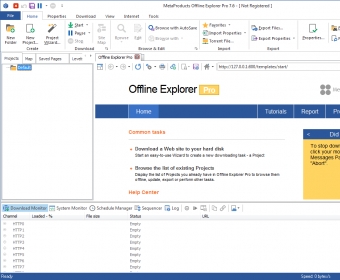
Main Window Main Window Main window Main window New project wizard New project wizard General View General View
All 12 screenshots

Latest comments


There are no comments, be the first one!
Add new comment

E-mail Address:

Password:

Register now »

Forgot password?

Sign in with:
.boe Offline Explorer Backup file
.soe Offline Explorer Sequencer file
.wdq Offline Explorer Queue file
.oetpl Offline Explorer Template file
Download Software Informer Client
Copyright © 2012, Informer Technologies, Inc. About| Privacy and terms| Help| Feedback & Support| Partners program